 HueDew
A headshot that looks like you.
Finish your own photo for a professional profile, keeping your features, build and expression. Try an AI sitting for a different outfit or studio lighting.
Unlimited free photo edits. Everyone shares 6 free AI generations per day, resetting at 00:00 UTC.
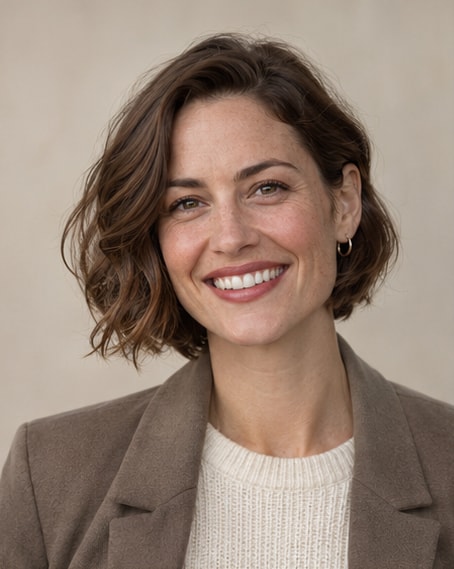 Original
The portrait lookbook
Pick a fictional model to try the edit and compare it with the original.
Your first portrait
Choose a photo
Start with a sample or choose a clear solo photo. Face a window, hold the camera at eye level and leave room around your head and shoulders.
Choose how to edit
Use Finish my photo to crop, tone or change the backdrop on your device. For a different outfit or studio lighting, choose AI. Confirming generation uses one shared studio slot.
Compare and export
Select View original to check your features, hair and shoulders. Download a JPG, or export the ZIP for multiple sizes.
Photo questions
Which mode should I use?
For a résumé or team profile, start with one photo and edit its crop, backdrop and tone on your device. Choose AI to try new lighting or clothing. Compare the result with your original before using it.
Which photos work for AI?
Choose 2–3 different, sharp solo photos of the same adult. Put the expression you want in the first photo. A crop of the same shot does not count as another view.
What if the likeness check fails?
An accepted AI request uses one generation even if the result is withheld. The check runs on your device. Switch to the original-photo editor to finish the portrait without another generation.
What size can I download?
Edited JPGs are 960 × 1200 (4:5), 960 × 960 (square) or 1200 × 800 (landscape). Download your file before clearing browser data. For a passport or ID, follow the issuing authority’s photo requirements.
Your studio
Reference photos
Photo checks run on your device. Only confirming AI generation sends resized references to Cloudflare Workers AI. Use your own adult portrait or one you have permission to edit.
Choose a main photo with the expression you want to keep. For a smile with teeth, use a photo showing your own smile. The first photo is your main reference. Tap a thumbnail to change it.
Original-photo finish
Your photo provides the expression and wardrobe. Changing the backdrop downloads a model that finds the subject on this device.
AI shoot direction
Viewfinder
Portrait review
My collection
Portraits you save stay in this browser. Download a copy to keep it elsewhere.